---
title: "Blueprint Print Center Guest Accounts"
slug: "blueprint-print-center-guest-accounts"
updated: 2024-07-05T03:42:03Z
published: 2024-07-05T03:42:03Z
canonical: "kb.pharos.com/blueprint-print-center-guest-accounts"
---
> ## Documentation Index
> Fetch the complete documentation index at: https://kb.pharos.com/llms.txt
> Use this file to discover all available pages before exploring further.
# Blueprint Print Center Guest Accounts
Users who will only use the Print Center temporarily can create a guest account by clicking the “**I am a guest”** link on the Pharos Print Center logon page.
Note: The guest account feature is disabled by default. You can enable this feature by checking the Allow Guest Accounts option in the Print Center > Settings section of Blueprint Administrator.
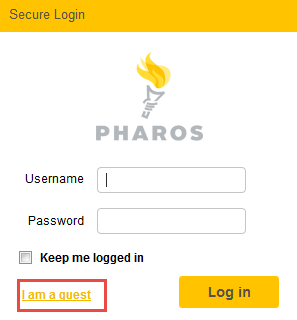
This opens a new screen and prompts the guest user to enter account details.

The guest user’s account is added to the Blueprint database and is automatically removed from the database after the number of days set in the “**Guest Account duration in days**” setting in Blueprint Administrator. This setting is set to **28 days** by default.
Guest users must use the email address that they used to create the guest account for subsequent logins to the Pharos Print Center.